x1
Select a tag to view relevant resources
Autumn
Spring
Summer
E-Safety
Science Events
This Year 5 and Year 6 Design Your Own App activity is a printable three-page computing resource for Upper Key Stage 2. Pupils plan, design and evaluate a mobile app that solves an everyday problem.
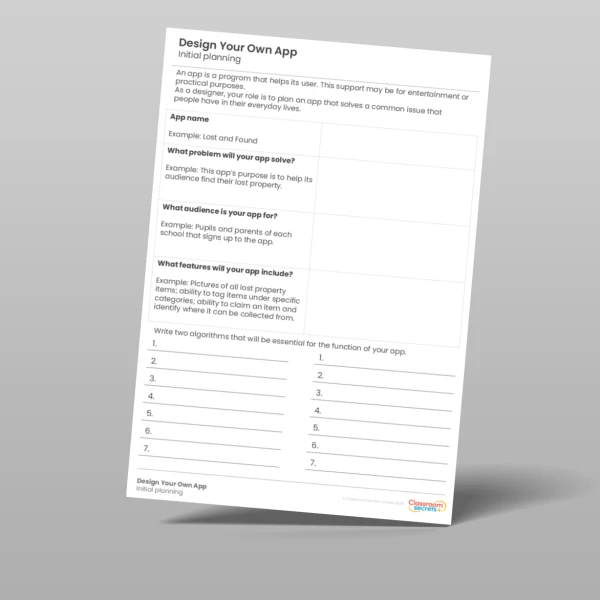
On the Initial Planning page, pupils:
name their app and identify the problem it will solve
describe their target audience
list the app’s key features
A worked example, a Lost and Found app for schools, models what a strong answer looks like. Pupils then write two step-by-step algorithms that are essential for their app to work.
On the Initial Designs page, pupils sketch three wireframes on phone templates to show the app’s layout and navigation, explaining each screen underneath. They also design an app icon and explain its meaning, thinking about how clear and accessible it is.
The final Reflection page supports peer review. Pupils swap their work, discuss improvements and answer seven questions. These cover the feedback they received, whether the app meets its audience’s needs, how clear their designs are, and whether the app would need to collect users’ data or could raise any safety concerns.
The activity links to the KS2 computing curriculum. It covers designing programs that accomplish specific goals, using logical reasoning to explain how algorithms work, and using technology safely, respectfully and responsibly. It works well as a standalone lesson, a cross-curricular design project or an extension task.
This resource includes:
an Initial Planning sheet with a worked example and algorithm writing frames
an Initial Designs sheet with three phone wireframe templates and an app icon box
a Reflection sheet with peer review questions on audience, design, data and online safety
Select a tag to view relevant resources
Autumn
Spring
Summer
E-Safety
Science Events